
1.0 Processing project related invoices
1.1 Introduction
Processing project-related invoices involves several essential steps to ensure accuracy and efficiency in financial management. It begins with the timely receipt of invoices, which should be checked for correctness, including vendor information, pricing, and compliance with purchase orders. Invoices must then undergo an approval process, with designated individuals ensuring adherence to payment terms and proper account coding. Maintaining a record of invoices,
resolving disputes promptly, and securely storing financial data are integral parts of this process. By following these rules and embracing electronic invoicing when suitable, organizations can streamline project-related invoice processing, enhancing financial transparency and overall project management.
1.2 The procedure
Invoice received by purchaser
Initial processing and checking
Enter invoice into the PO System.
Is the invoice more than the purchase order amount?
Raise a purchase order for the difference. You must provide reasons for the change in amount.
Attach the purchase orders to the invoice and complete the coding information in the system.
Pass invoice for authorisation
Project Manager Approval
Is the invoice valid?
Accept the invoice.
Is the invoice above your sign off limit?
You must now get manager approval
You can approve the invoice and send back to the purchaser
Reject the invoice
End of Procedure
Manager Approval
Is the invoice valid?
Accept the invoice and send for finalisation
Reject the invoice
End of Procedure
Final processing
Do the final things that you need to do here.
1.3 Entering the invoice into the purchase order system - sub procedure
Follow these steps.
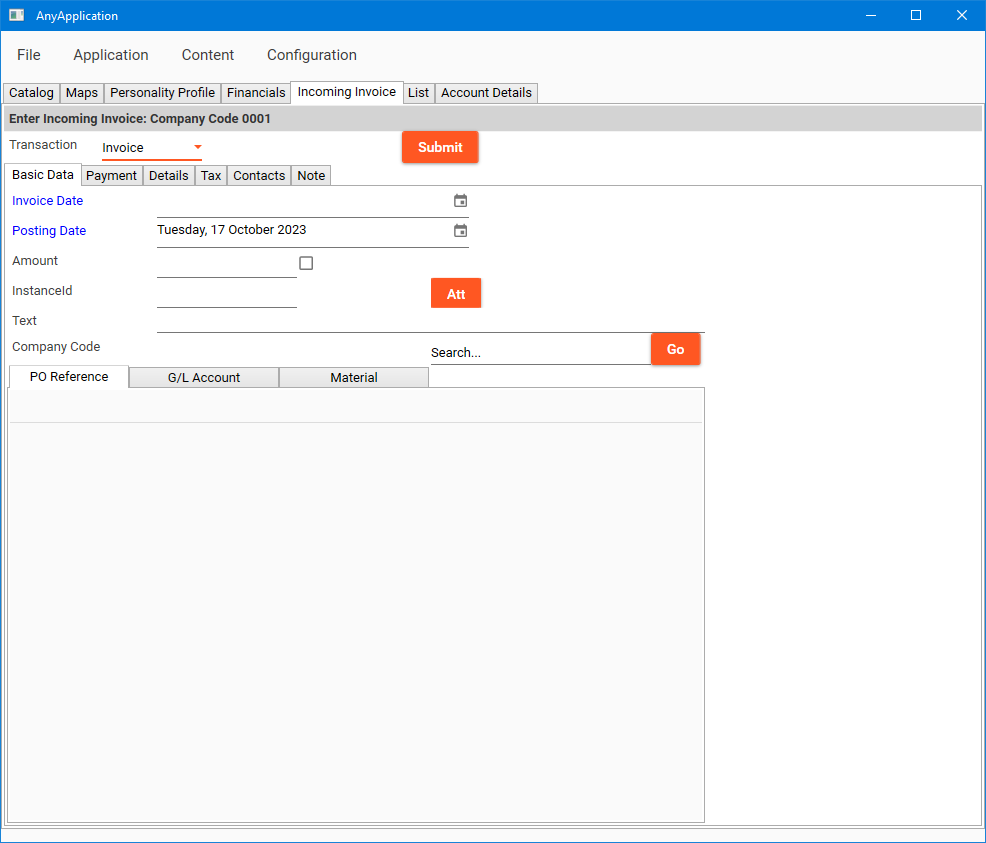
Go to the incoming invoice tab
the posting date should be today's date in most cases.
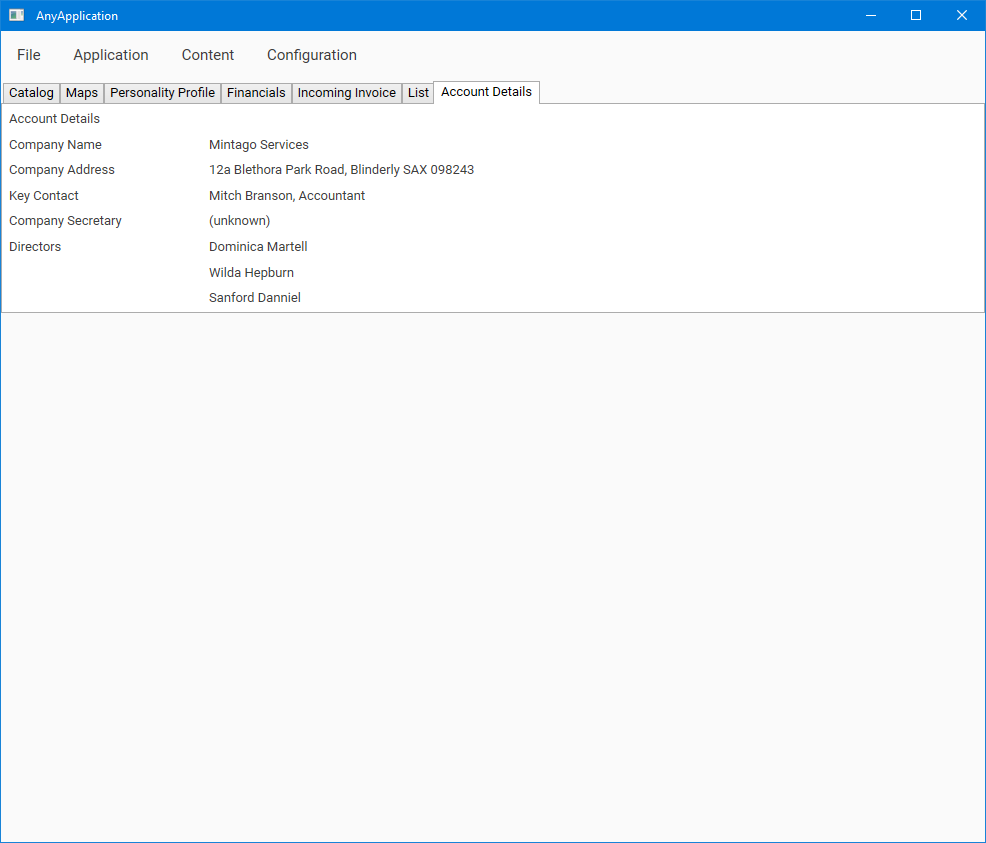
Go to the account details tab
Ensure that there is at least one director listed here
This page was created in Runthru Performance. It's example content only, created to demonstrate the quality of content that you can make in the application.